

















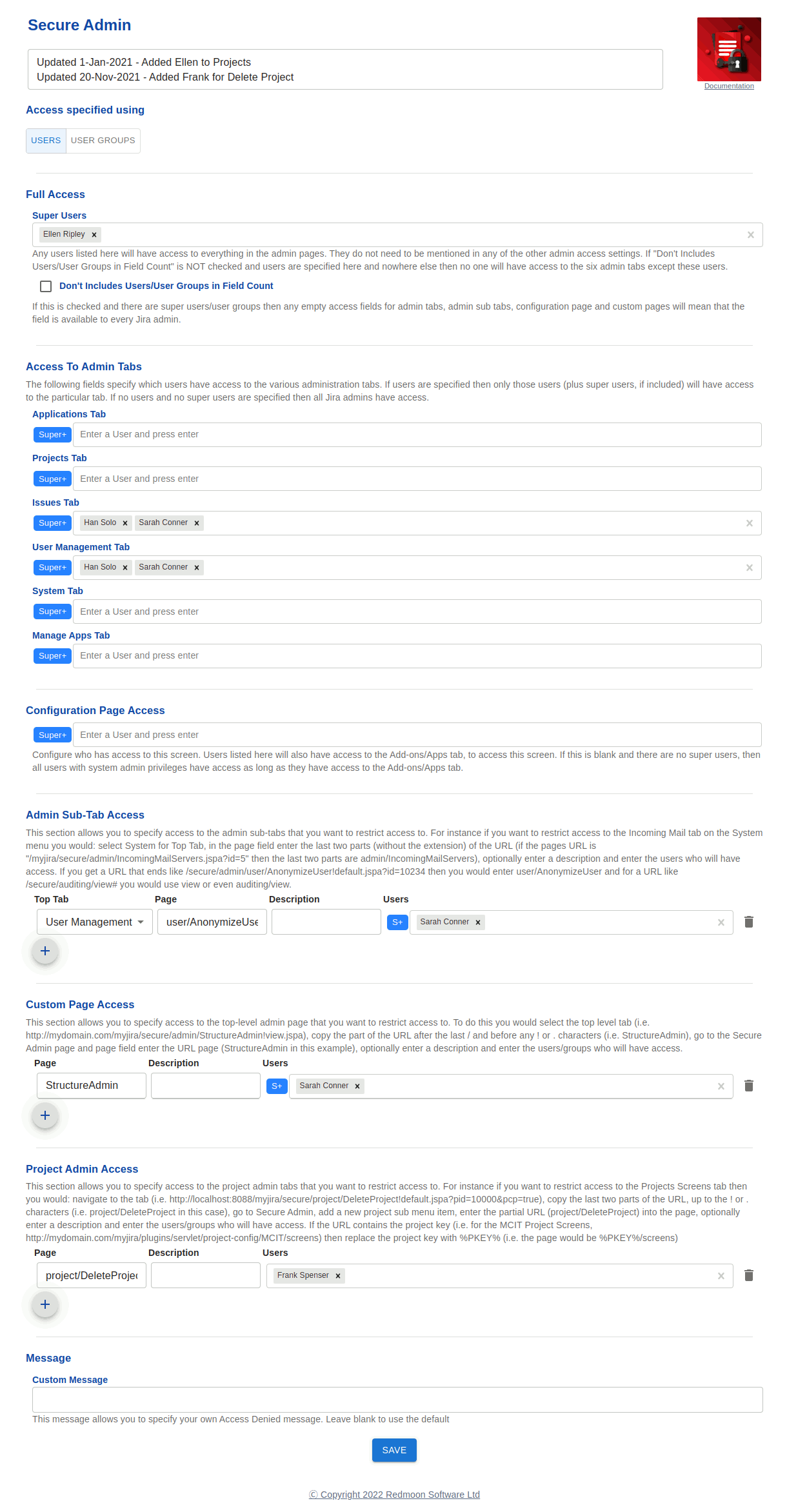
What Secure Admin does
Jira’s administration permission is binary. A user is either a Jira admin (can do everything) or they aren’t (can do nothing). There’s no middle ground for “this person can manage users but shouldn’t be able to install plugins” or “this person can configure boards but mustn’t see mail server settings”.
The result for most organisations is over-privileged admins — people who got the admin role for one specific reason and now have access to every sensitive area of the configuration, because there’s no way to scope it down. That’s a routine finding in IT security audits.
Secure Admin adds true granular administration delegation for Jira Data Center. It controls access tab-by-tab and sub-tab-by-sub-tab across all five top-level admin tabs, plus any third-party app’s admin pages. Delegate user management to the helpdesk lead, board configuration to project admins, and custom-field schemes to a single team — without handing out the system-administrator firehose.
Key features
- Five top-level admin tabs. Restrict access to Projects, Issues, User Management, System, and Add-ons independently per user or group. Each tab can be opened to a different set of people.
- Sub-tab whitelisting. Grant access to specific sub-tabs even when the parent tab is restricted. For example, give the helpdesk lead access to User Management → Users without giving them the rest of User Management.
- Custom Page Access for third-party apps. Add access rules for any non-standard admin page from third-party Jira apps. Identify the page by its URL slug; assign user groups or individual users.
- Per-user OR per-group access lists. Choose globally whether Secure Admin treats access lists as individual users or user groups. (Group mode warning: anyone with access to the User Groups page can add themselves to groups — Secure Admin recommends restricting the User Groups sub-tab when running in group mode.)
- Full Access section. Define super-users who get access to every admin tab regardless of other rules — typically a small group of “real” system administrators.
- Empty-field defaults. A “Don’t Include Users / User Groups in Field Count” option keeps an empty field open to all admins instead of locking it down — useful when rolling Secure Admin out progressively.
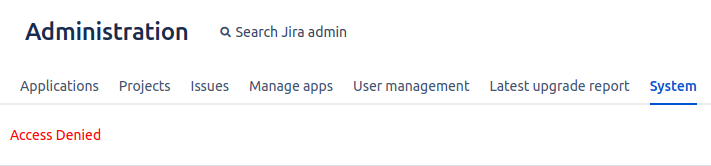
- Clear access-denied message. Users hitting a tab they don’t have access to see a clear “access denied” page rather than a generic error.
- Notes field. Configuration page has a free-text notes area so admins can record the policy reasoning alongside the configuration.
What teams use Secure Admin for
- Delegating user management to the helpdesk. Helpdesk leads get User Management → Users (add / disable / reset password) without getting System or Add-ons access.
- Segregation of duties for SOX / ISO / SOC 2 compliance. Auditors require that the person who installs plugins is not the person who configures user permissions. Secure Admin enforces that separation.
- MSP / multi-tenant administration. Managed service providers running Jira for multiple customers can delegate per-customer configuration to per-customer admins without giving each customer’s admin access to the global system settings.
- Decentralised project administration. A large organisation can let department admins manage their own Projects tab content without touching System or Add-ons.
- Third-party app delegation. Structure / Tempo / Jira Misc Workflow Extensions admins can each be scoped to their own app’s admin page without seeing the rest of Add-ons.
- Onboarding new admins. New hires get progressively more access — start with one sub-tab, add tabs as they demonstrate competence — instead of an all-or-nothing role assignment.
- Out-of-hours / on-call admin support. On-call staff get the specific sub-tabs they need to handle common incidents (e.g. User Anonymizer, Incoming Mail) without inheriting permanent full admin privilege.
Why customers choose Secure Admin
- Granularity Jira doesn’t have. This is the only way to get sub-tab-level admin delegation in Jira Data Center.
- Eliminates over-privileged admin accounts. Audit findings about “too many people with system-admin” disappear because the real super-user pool shrinks while delegated access grows.
- Third-party app coverage. Custom Page Access means delegation extends to Marketplace apps, not just Jira itself. Most Jira instances are 80% native + 20% Marketplace; a delegation tool that ignores the 20% is half a solution.
- No code, no scripts. Configuration through a UI page by current admins. No plugin SDK, no Groovy.
- Reversible and incremental. Roll Secure Admin out one sub-tab at a time. Empty-field defaults keep the rest open until you’re ready.
- Strong reviews. 5.0/5 on the Marketplace — typically from regulated-industry admins who needed the segregation-of-duties capability and found it nowhere else.
How Secure Admin compares
| Capability | Secure Admin | Native Jira admin permission | ScriptRunner |
|---|---|---|---|
| Per-tab admin access control | ✓ | All-or-nothing | Code only |
| Per-sub-tab admin access control | ✓ | ✗ | Code only |
| Third-party app admin page control | ✓ | ✗ | Code only |
| Full / restricted access tiers | ✓ | One tier (admin) | Code only |
| User-level OR group-level access | ✓ | Group only | Code only |
| Configuration through UI | ✓ | n/a | ✗ (Groovy) |
| Segregation-of-duties enforcement | ✓ | ✗ | Manual |
Rule of thumb. Anywhere “we have too many people with Jira admin because Jira’s permission model is too coarse” is a real concern — that’s Secure Admin’s job.
Free trial and pricing
Secure Admin has a free trial on the Atlassian Marketplace. Pricing is set by Atlassian and tiers by Jira user count — see the live tier table on the Marketplace listing.
Platform
Secure Admin currently runs on Jira Data Center. All data and processing stay inside your Jira instance — no third-party servers in the data path. There is no Cloud edition at this time.
See also
- In-depth user guide — Secure Admin user guide
- Customer use cases — Secure Admin Use Cases
- Reviews — Secure Admin Reviews
- Sales pitch for stakeholders — Convince my Boss
- Marketplace listing — Secure Admin on the Atlassian Marketplace
Book a demo
Want a walkthrough of Secure Admin tailored to your segregation-of-duties or delegation scenario? Get in touch via the Contact Us page and we’ll set up a live demo.