


















How does Comment History for Jira Cloud work?
Track all changes and deletions of comments in Jira
Comment History for Jira Cloud captures every edit and deletion of comments on every Jira issue automatically once installed. All data stays inside your Jira instance — nothing is sent to Redmoon Software servers. There is no setup beyond installation; the Comment History tab appears on every issue immediately.
Data Storage: All data is stored within Jira. No information is stored on Redmoon Software servers.
How do I view all comment changes for a Jira Cloud issue?
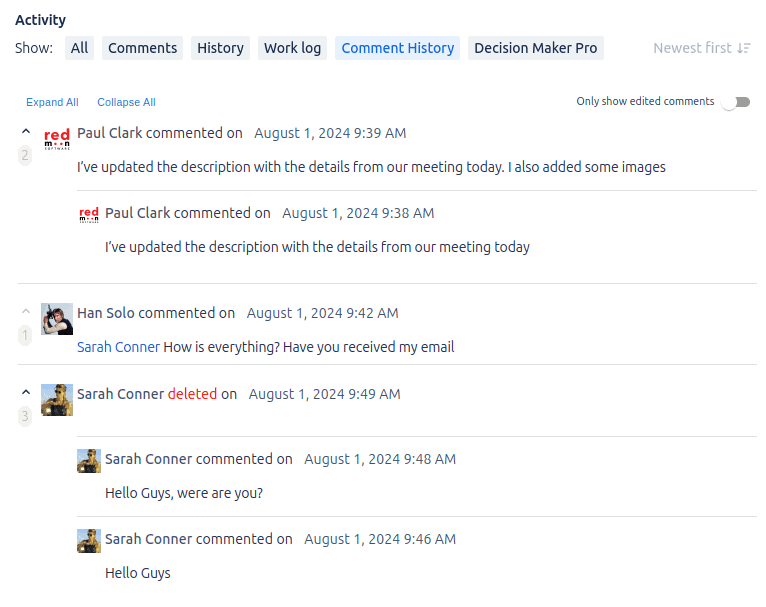
Each Jira Cloud issue gains a Comment History tab in the Activity section. The tab lists every current comment together with its full edit and deletion history, grouped chronologically. Comments are ordered by the parent comment’s creation date so each thread reads as a single timeline from creation to current state.
How do I see deleted comments in Jira Cloud?
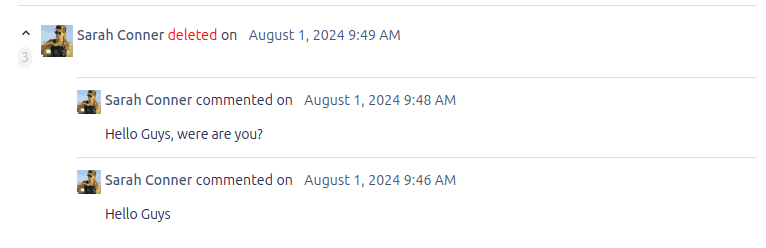
Comment History keeps a record of every deleted comment. Deleted comments appear in the Comment History tab with a red “deleted” marker, and any prior versions of that comment are still listed in full. This lets you recover the content of comments that were removed accidentally or maliciously.
How do I open the comment history sidebar in Jira Cloud?
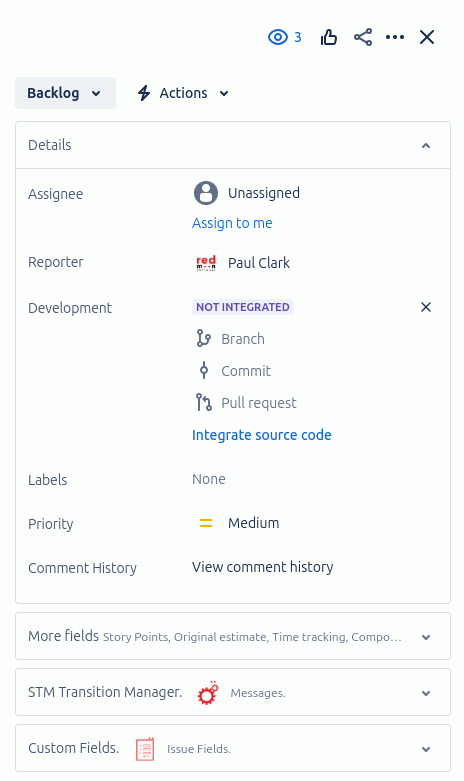
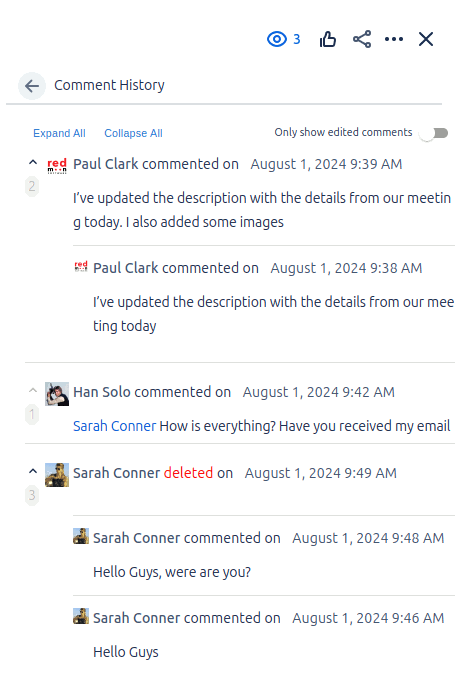
Open any Jira Cloud issue and click “View comment history” next to the Comment History label on the right-hand sidebar. The sidebar shows the same edit and deletion history as the Comment History tab, side-by-side with the issue details, so you can skim history without leaving the main issue view.
The image below shows an example of the sidebar showing the comment history.
Filtering
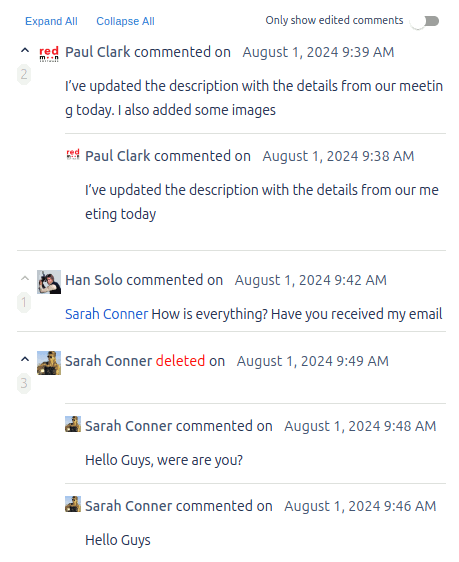
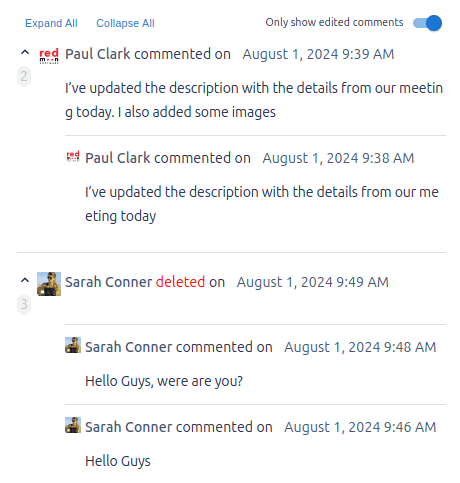
Only Show Edited Comments: This hides all current comments that appear in the Comment tab but do not have any history.
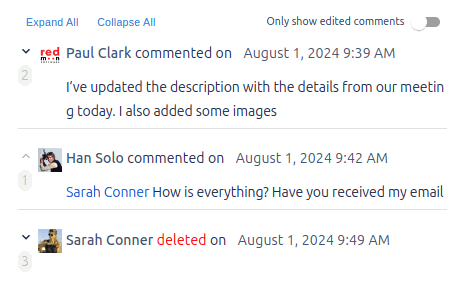
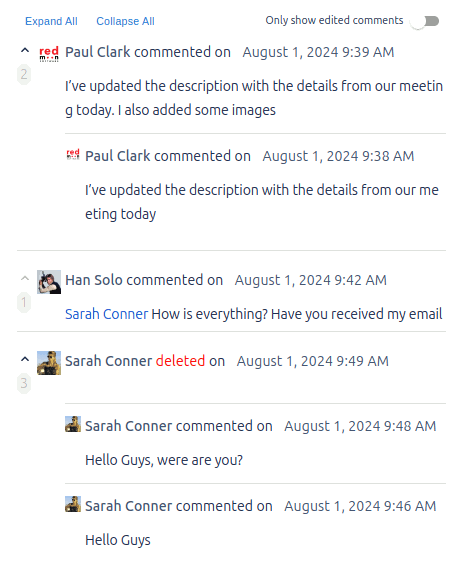
Expand All / Collapse All: This expands or collapses all comments with history so that only the current comment is shown. For each collapsed comment, the current comment can be clicked to expand or collapse the comment and its history.
The example below shows the same details collapsed and expanded.
Below is an example of “Only show edited comments” turned off and on.
Who can view comment history in Jira Cloud?
Comment History respects Jira Cloud’s comment visibility rules. The plugin records the visibility level at the moment each comment is created, updated, or deleted, and only shows history entries to users who would have been allowed to see the underlying comment. Restricted comments stay restricted in their history.